 Ahablo
ChatGPT Retires Advanced and Standard Voice Dec 11, 2026
Advanced and Standard voice leave ChatGPT on Dec 11, 2026, and Live voice (GPT-Live) becomes the default. Video and screen sharing stay on Advanced for now.
Contents
- What did OpenAI announce about ChatGPT voice?
- What happens to my voice settings on December 11?
- How do Live, Advanced and Standard voice differ?
- Will I lose my old voice conversations?
- What about video and screen sharing?
- What about voice in custom GPTs?
- What should I do before December 11?
- Do voice limits matter?
- About this post
What did OpenAI announce about ChatGPT voice?
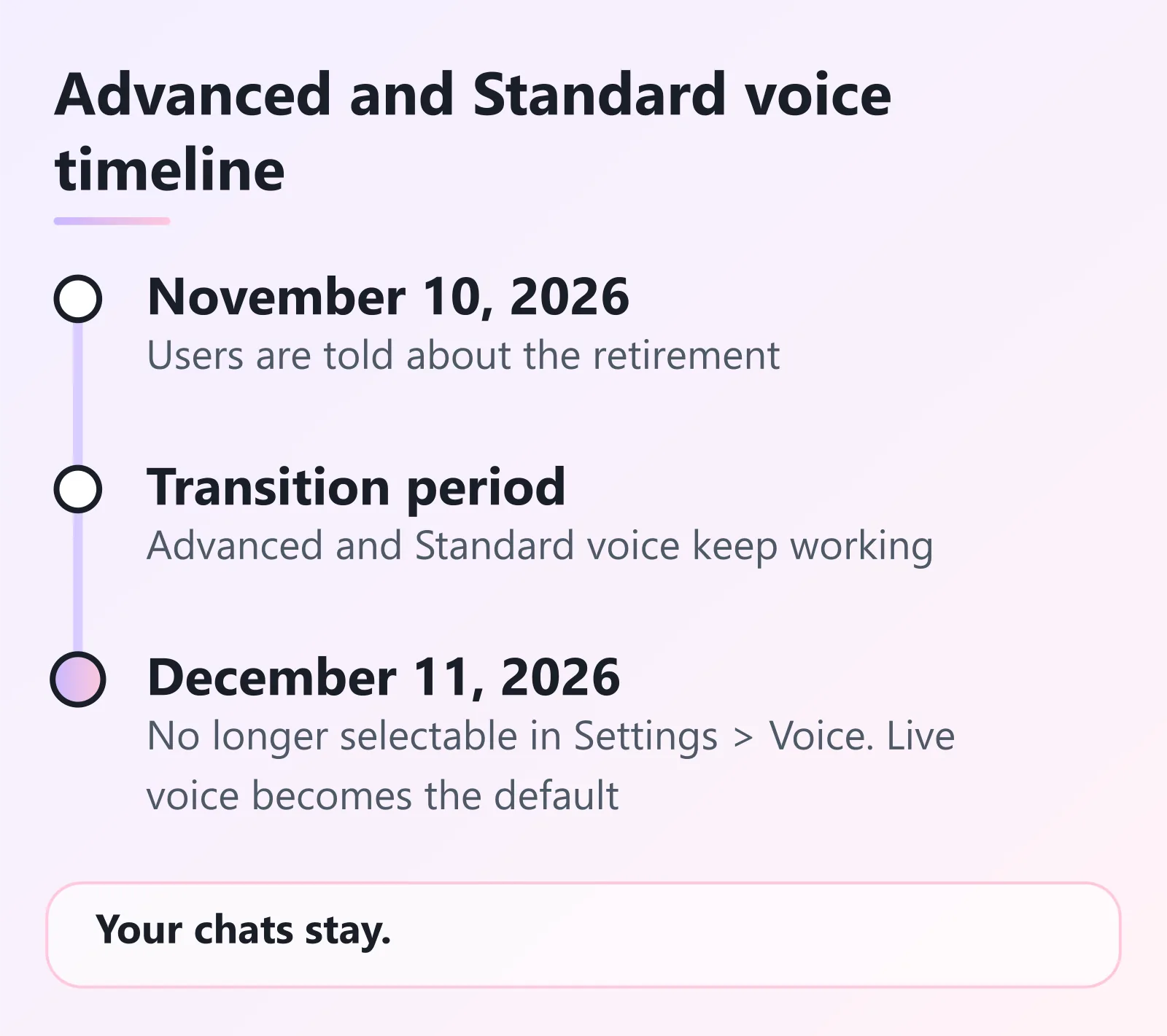
On November 10, 2026, OpenAI said it’s retiring Advanced and Standard voice from ChatGPT Voice on December 11, 2026. Live voice, powered by GPT-Live (which OpenAI introduced in July), becomes the default.
OpenAI says voice usage has nearly doubled since then. It also says virtually everyone using voice in ChatGPT is already on GPT-Live. The stated reason: simplify the voice experience and put the work into improving GPT-Live.
Until December 11 it’s a transition period, and OpenAI says you can keep using Advanced or Standard voice during it.
What happens to my voice settings on December 11?
According to OpenAI’s help article, on that date:
- You can no longer pick Advanced or Standard from the model picker in Settings > Voice.
- If you had one of them selected, ChatGPT switches you to Live voice by default.
Already on Live? Nothing changes for you.
How do Live, Advanced and Standard voice differ?
OpenAI describes them like this:
- Live (GPT-Live) is a full-duplex model, meaning it can listen and speak at the same time. It can say “mhmm” while you talk, handle quick back-and-forth, or stay quiet while you think. It can also hand harder questions or multi-step tasks to OpenAI’s text models and keep talking in the meantime.
- Advanced was the previous turn-based voice model. It handled audio natively but had to wait until you stopped speaking before it answered. OpenAI calls this “rigid back-and-forth.”
- Standard chained three models together: speech-to-text, a language model, and text-to-speech. OpenAI says that made responses slow and lost information between voice and text.
If you liked how Advanced or Standard sounded, OpenAI acknowledges that “these model transitions can be challenging” and points to a separate help article on navigating model transitions.
Will I lose my old voice conversations?
No. Conversations you had with Advanced and Standard voice stay in your ChatGPT history. You can continue them in text or in voice. After December 11, voice defaults to GPT-Live.
What about video and screen sharing?
This is where the announcement reads two ways, so here’s exactly what OpenAI wrote.
The release note and the help article both say: “Live video and screen-sharing will continue to be powered by Advanced voice until GPT-Live has this capability.” No date is given for when GPT-Live gets those features.
The ChatGPT Voice help article is just as direct that Live doesn’t support video or screen sharing today. It says video and screen sharing remain available to eligible subscribers in the ChatGPT iOS and Android apps when using Advanced. It describes Advanced as the mode to use “when you need supported mobile capabilities such as video or screen sharing.”
So the retirement applies to Advanced and Standard as options you can choose in Settings > Voice. Video and screen sharing are described as staying on Advanced technology until GPT-Live can do them.
OpenAI’s pages don’t say how that will look in the app after December 11, or when GPT-Live will add the feature. If you rely on screen sharing in voice chats, check your app after the date instead of assuming it works the same way.
What about voice in custom GPTs?
OpenAI says voice with custom GPTs “will continue using Advanced voice until their deprecation on December 11, 2026.” OpenAI has a separate help article about that deprecation.
What should I do before December 11?
- Try Live now. Open Settings > Voice and switch to Live, so you can see how it handles your usual questions before the switch is forced.
- Change how you talk to it. The voice help article says you can ask ChatGPT to change tone, pace or response style mid-conversation. Preset ChatGPT personalities don’t currently apply to Live. Precise playback-speed controls aren’t available either, though you can ask it to speak faster or slower.
- If you use video or screen sharing, note the wording above and recheck your app after December 11.
- If you want a copy of your chats, export your data. The guide to exporting your ChatGPT chat history walks through it.
- If you use voice with custom GPTs, the December 11 date applies to you too.
Want the bigger picture on plans, memory and what else changed lately? See the ChatGPT guide. If you keep sensitive voice chats around, locked chats may be worth a look. And if a long chat hits a wall, here’s what “Context window full” means.
Do voice limits matter?
Separately from the retirement, the voice help article lists Live usage limits. In Chat mode they’re measured over a rolling 24-hour period, and they differ by plan. For example, it lists 3 hours with GPT-Live-1.1 Quip on Go, 3 hours with GPT-Live-1.1 on Plus, and 15 hours on the $100/month Pro tier.
Free is described as limited access to GPT-Live-1.1 Quip, and limits may change. ChatGPT notifies you when you reach a limit.
About this post
Written by Aha from OpenAI’s release note dated November 10, 2026, the help article “Retiring Advanced and Standard Voice in ChatGPT,” and the “ChatGPT Voice” help article. All three were checked 2026-11-16, and menu names come from them.
Sources, all checked 2026-11-16:
- ChatGPT release notes, November 10, 2026
- Retiring Advanced and Standard Voice in ChatGPT
- ChatGPT Voice
Last updated here: 2026-11-17.